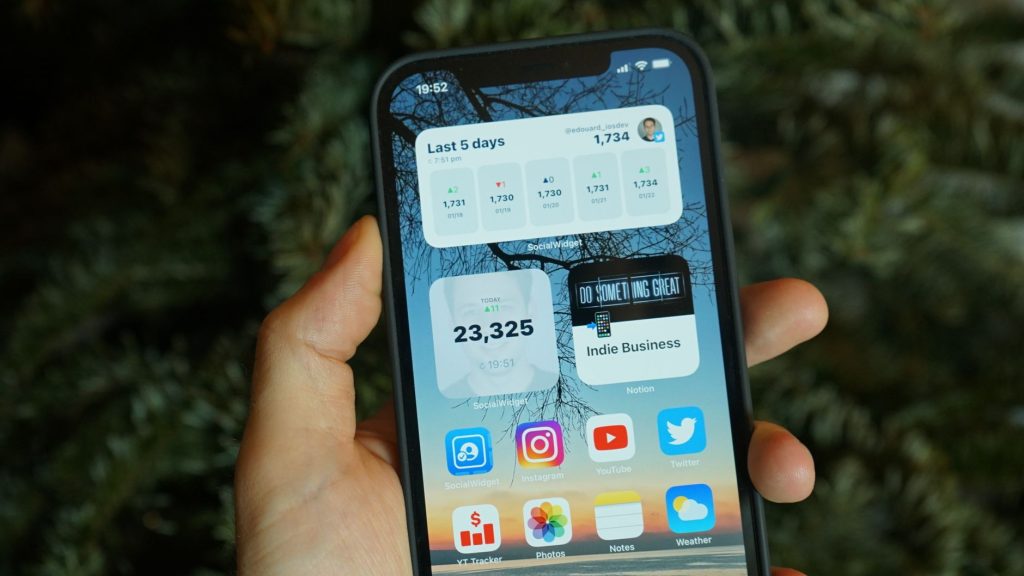
Building a custom home screen widget via AI integration in Android Studio is the most accessible starting point for new developers. By utilizing prompt-based commands alongside visual mock-ups, creators can bypass complex multi-screen app architectures and build functional software in under an hour (How-To Geek, 2025). Vibe coding has transformed how software comes together, allowing creators to focus purely on product vision rather than boilerplate syntax. Because modern tools automate much of the groundwork, building a custom home screen widget is faster than ever.

Why Build a Custom Home Screen Widget First?
Targeting isolated interface components reduces structural overhead because widgets do not require standard app drawer listings or multi-activity navigation maps. According to development guides published by How-To Geek (2025), standalone widget packages restrict the developer’s scope to a single operational viewport, allowing faster iteration and simpler troubleshooting cycles during early creation phases.
Furthermore, developers often explore alternative tools to streamline their mobile environments, similar to how power users find 4 open-source F-Droid apps that replace Samsung and Google apps. By keeping the target scope extremely narrow, new programmers avoid getting bogged down in complex lifecycle management. When you build a custom home screen widget, you learn core UI principles without extra clutter.
How Does Visual Prompting Accelerate Your Custom Home Screen Widget?
Supplying the artificial intelligence agent with a hand-drawn sketch or graphical mock-up alongside text instructions generates a seventy percent complete interface on the first attempt (How-To Geek, 2025). Developers can then execute iterative conversational prompts to bind APIs, correct layout spacing, and refine typography without writing manual boilerplate code.
Integrating these AI workflows feels similar to leveraging advanced ecosystem enhancements like Google Search Upgrade Brings Gemini 4 Hydrogen Model or organizing tasks with insights from How to Automate Your AI Personal Assistant. Because the AI handles repetitive structural elements, you can focus entirely on refining visual output. Testing a custom home screen widget locally ensures quick feedback loops.
How Do Custom AI Widgets Compare Against Traditional Projects?
Project scale and execution speed vary significantly depending on the initial target chosen by new software creators. Therefore, understanding these timelines helps set realistic expectations before opening Android Studio.
| Project Type | Estimated Build Time | Complexity Level | Source Reference |
|---|---|---|---|
| Wear OS Watch Face | Several days to weeks | High | How-To Geek (2025) |
| Full Launchpad App | Multiple weeks | Very High | How-To Geek (2025) |
| Custom Home Widget | Under one hour | Low | How-To Geek (2025) |
Ultimately, diving into vibe coding with a small widget project removes the intimidation factor of modern software engineering. By starting small, anyone can deploy functional tools to their device in minutes. Your first custom home screen widget marks the gateway to advanced mobile development mastery.
What impact will this Android & Google development have over the next 12 months?
Reader poll (non-scientific). Share your perspective below or join the discussion in the comments.